The Digital Tools I Actually Use Every Day (And the Ones I Deleted)
I've downloaded probably 30 productivity apps in the last two years. Here's what survived the cull — and why.
James T.
Senior, Computer Science
Time Management · EZ Grades
I have a bad habit of downloading productivity apps. Every time I see a "best apps for students" article, I download three of them, use them for a week, and then forget about them. Over two years, I've tried probably 30 different tools.
Here's what actually survived — the tools I still use every day — and why everything else got deleted.
What I Use Every Day
Google Calendar. My entire academic and personal schedule lives here. I have separate calendars for classes, study blocks, and deadlines, each a different colour. I check it every morning and every Sunday when I plan my week. I've written a separate post about my exact setup.
Anki. For anything I need to memorize — vocabulary, formulas, definitions, anatomy. I do my reviews every morning. I've been using it for 18 months and my retention of course material has genuinely improved.
Obsidian. My main note-taking app. I like that notes are stored as plain text files on my computer (no proprietary format, no subscription required to access my own notes) and that I can link notes together. The learning curve was steep but worth it.
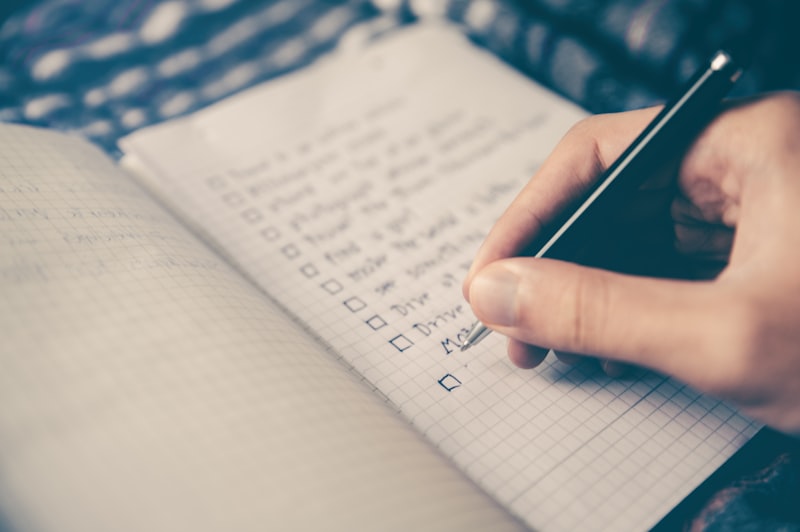
A physical notebook. For daily task lists and quick notes during class. I've tried replacing this with digital tools multiple times and always come back to paper for this specific use case. There's something about writing a task list by hand that makes me more likely to actually do the tasks.
What I Deleted (And Why)
Notion. Too much setup, too much flexibility. I spent more time building my Notion workspace than using it. Some people love it — I found it paralyzing.
Todoist. Good app, but I found that digital task lists were too easy to ignore. A physical notebook on my desk is harder to avoid.
Forest. The gamification didn't motivate me. I just felt annoyed when the timer went off.
Any app that required a subscription after a free trial. I'm a student. I'm not paying $12/month for a note-taking app.
The Honest Conclusion
The best tool is the one you'll actually use consistently. I've seen people do incredible work with nothing but a paper planner and a pencil. Don't let tool selection become another form of procrastination.
How to Evaluate a New Tool Before Committing
Before downloading another app, I ask myself three questions:
- What specific problem does this solve? If I can't name a specific problem, I don't need the tool.
- Will I actually use this in 3 months? Most tools get abandoned within a week. Be honest with yourself.
- What's the setup cost? Tools that require significant setup before they're useful are often abandoned before they deliver value.
If a tool passes all three questions, I try it for two weeks. If I'm still using it after two weeks, it earns a permanent spot in my workflow.
The Minimal Effective Toolkit
If you're starting from scratch, here's the minimum viable toolkit:
- One calendar (Google Calendar, paper planner, or Apple Calendar) for deadlines and commitments
- One task list (physical notebook or simple app) for daily to-dos
- One note-taking system (Obsidian, Notion, or physical notebooks) for course content
- One flashcard system (Anki or physical cards) for memorization
That's it. Everything else is optional. Add tools only when you have a specific problem that your current toolkit doesn't solve.
Building a Digital Tool Stack That Actually Works
The problem with most productivity advice about digital tools is that it focuses on individual apps rather than how they work together. The result is a collection of tools that each do something useful but don't form a coherent system — and a student who spends more time managing tools than using them.
A functional digital tool stack has three layers: capture, organize, and review.
Capture is where new information goes immediately — class notes, ideas, tasks, things to remember. This layer needs to be fast and frictionless. If capturing a thought takes more than 30 seconds, you'll stop doing it. A simple notes app (Apple Notes, Google Keep) or a physical notebook works well here. Don't overthink it.
Organize is where captured information gets processed and stored in a way that makes it findable later. This is where tools like Notion, Obsidian, or a well-structured Google Drive folder come in. The key is that organization happens after capture, not during — don't let the desire for a perfect system prevent you from capturing information in the first place.
Review is where you actually use the organized information — studying, completing assignments, preparing for exams. This layer is where most students focus, but it only works well if the capture and organize layers are functioning.
The Tools I Actually Kept (And Why)
After two years of experimenting with productivity tools, my setup is simpler than I expected:
Google Calendar for scheduling. Every class, study session, deadline, and commitment goes in the calendar. The key insight: put study sessions in the calendar as specific blocks, not just deadlines. "Study for bio exam" on the calendar is more actionable than "bio exam Friday" because it tells you when the studying happens, not just when the exam is.
A physical notebook for daily tasks and quick notes. I tried digital task managers for two years and kept abandoning them. The physical notebook works because it's always visible on my desk, requires no login, and has no notifications.
Anki for anything I need to memorize long-term. Spaced repetition is the most evidence-backed memorization technique available, and Anki implements it well. I use it for vocabulary, formulas, and key concepts in every course.
The Tools I Dropped (And Why)
Notion: Powerful but time-consuming to set up and maintain. I spent more time building my Notion workspace than I spent using it. For students who enjoy systems design, it's excellent. For students who want to study, it's a distraction.
Todoist: Excellent app, but I kept forgetting to check it. A task manager only works if checking it becomes a habit, and I never built that habit with a phone app.
Every habit tracker I tried: They made me feel guilty when I missed a day, which made me avoid opening them, which made them useless. A simple paper habit tracker (a grid in a notebook) works better for me because the friction of marking it off is low and the visibility is high.
The Most Important Principle
The best tool is the one you'll actually use. A simple system you maintain consistently beats a sophisticated system you abandon. Start with the minimum viable setup — one place for notes, one place for tasks, one calendar — and add complexity only when you identify a specific need that your current system doesn't meet.
Frequently Asked Questions
Q: Is Notion worth learning for students?
For some students, yes. Notion is powerful and flexible, but that flexibility is also its weakness — it's easy to spend more time building your workspace than using it. If you're the kind of person who enjoys setting up systems, Notion can be great. If you just want to get things done, simpler tools are better.
Q: Should I use the same tools as my classmates?
Not necessarily. The best tool is the one that works for you, not the one that's popular. That said, there's value in using tools your classmates use for collaborative work (shared Google Docs, shared Notion pages). For personal productivity, use whatever you'll actually use.
Q: Are paid apps worth it for students?
Usually not, unless the paid version solves a specific problem the free version doesn't. Most of the best tools for students are free: Anki, Google Calendar, Obsidian, Google Docs. Before paying for an app, make sure you're actually using the free version consistently.
Q: What's the best note-taking app?
The one you'll use. Obsidian is my preference because it stores notes as plain text files and has powerful linking features. But Notion, Apple Notes, OneNote, and even Google Docs all work fine. The note-taking app matters much less than the note-taking habits.
Related Articles
I Made Mind Maps for Every Chapter of My History Textbook — Here's What Happened

I Tried the Feynman Technique on My Hardest Subject — Here's My Honest Take