A Walkthrough of How I Use Google Calendar to Plan My Study Week
I used to keep everything in my head. Then I missed a midterm. Here's exactly how I set up my calendar now — with screenshots of my actual setup.
James T.
Senior, Computer Science

Time Management · EZ Grades
I missed a midterm in my sophomore year. Not because I forgot it was happening — I knew about it — but because I'd been telling myself I'd "study for it this week" without ever actually scheduling when. When the day came, I wasn't prepared.
That was the last time I kept my academic schedule in my head. Here's exactly how I use Google Calendar now.
My Calendar Setup
I use three separate calendars in Google Calendar, each a different colour:
Red: Fixed commitments. Classes, work shifts, club meetings, appointments. These are non-negotiable and I never schedule study time over them.
Blue: Study blocks. These are the times I've committed to studying. I treat them like appointments — if something comes up, I reschedule the block rather than just skipping it.
Green: Deadlines and exams. Every assignment due date and exam goes here as an all-day event. I also add a reminder 3 days before each deadline so I have a heads-up.
My Weekly Planning Process
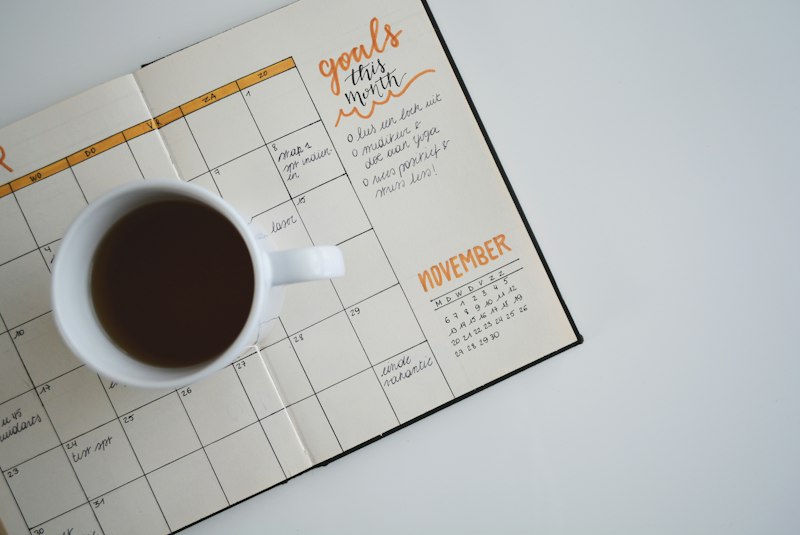
Every Sunday evening, I spend about 15 minutes planning the week. I look at what's due, estimate how long each thing will take, and assign study blocks accordingly. I try to work on each subject at least twice a week — spacing out the studying rather than cramming it all into one day.
I also build in buffer time. If I think a problem set will take 2 hours, I schedule 2.5 hours. This buffer absorbs the inevitable overruns and means I'm not constantly running behind.
The Rule That Changed Everything
I have one rule: if I can see it on my calendar, I do it. If it's not on my calendar, it doesn't exist. This sounds rigid, but it's actually liberating — I don't have to hold anything in my head because everything is in the calendar.
The corollary: if I decide not to do something I'd scheduled, I have to actively reschedule it, not just skip it. This creates a small amount of friction that makes me think twice before blowing off a study block.
What Doesn't Work

Calendar planning doesn't help if you're not honest about how long things take. I used to schedule 1-hour blocks for things that took 2 hours, which meant I was always behind. Now I track my actual time for a week at the start of each semester to calibrate my estimates.
Time Estimation: Getting Better at It
The biggest failure mode in calendar planning is underestimating how long things take. Here's how I got better at it:
Track actual time for one week. Use a simple timer or app (Toggl is free) to track how long everything actually takes. Most people are surprised by the results — tasks take 1.5–2x longer than estimated.
Add a 25% buffer to every estimate. If you think something will take 2 hours, schedule 2.5 hours. This buffer absorbs overruns and means you're not constantly running behind.
Track your "time debt." If you scheduled 3 hours for something and it took 4, you're an hour in debt. Track this debt and pay it back before the end of the week.
The Sunday Planning Session
My weekly planning session takes about 15 minutes and follows a consistent structure:
- Review the week ahead. What's due? What exams are coming? What commitments do I have?
- Estimate time for each task. How long will each assignment take? Add 25% buffer.
- Assign tasks to time blocks. Match tasks to available study blocks based on difficulty and energy level.
- Identify the most important task. What's the one thing that, if I do it this week, will make the biggest difference? Schedule that first.
- Build in recovery time. Don't schedule every hour. Leave at least 2 hours per day unscheduled for overruns, unexpected tasks, and rest.
Frequently Asked Questions
Q: What if my schedule changes during the week?
Reschedule, don't skip. If something comes up and you can't do a scheduled study block, move it to another time that week. The rule is: if you decide not to do it now, you have to decide when you will do it. This prevents tasks from quietly disappearing.
Q: Should I schedule every hour of my day?
No. Over-scheduling creates rigidity and stress. Schedule your fixed commitments and your most important study blocks, then leave the rest flexible. A schedule that's 60–70% filled is more sustainable than one that's 100% filled.
Q: Is Google Calendar better than a paper planner?
For most students, digital calendars are better because they sync across devices, send reminders, and are easier to reschedule. Paper planners are better if you find the physical act of writing helps you commit to plans. Try both and see what you actually use consistently — the best system is the one you use.
Q: How far in advance should I plan?
At the start of each semester: add all deadlines and exams to your calendar immediately. Weekly: plan the upcoming week on Sunday. Daily: review your calendar each morning and adjust if needed. Planning at multiple time horizons keeps you from being surprised by deadlines.
Related Articles
I Made Mind Maps for Every Chapter of My History Textbook — Here's What Happened

I Tried the Feynman Technique on My Hardest Subject — Here's My Honest Take